Buying
Goods receipts and cost averaging
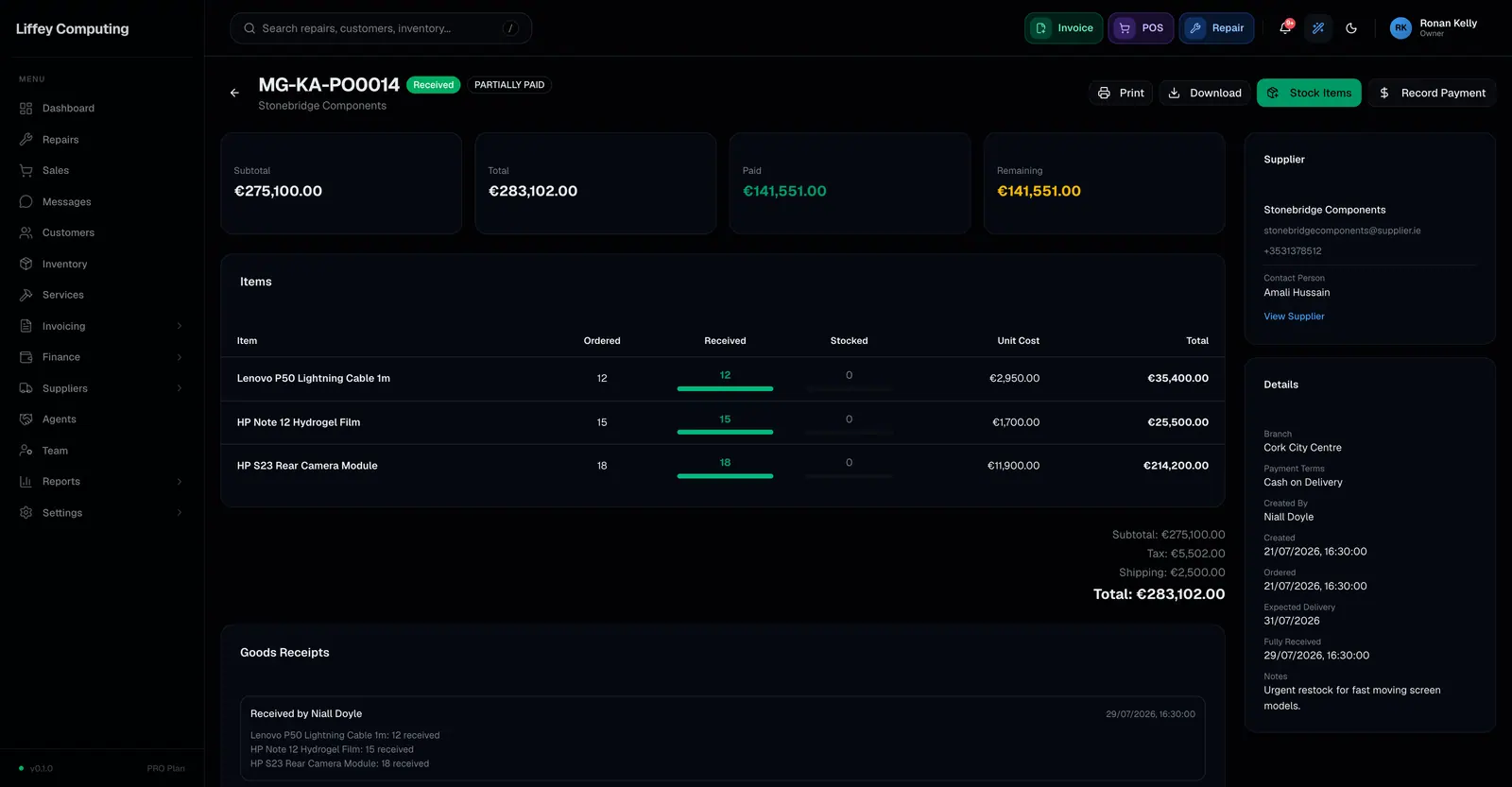
Each delivery against a purchase order is recorded as its own goods receipt, with the quantity received per line, any serial numbers, and who checked it in. Stocking a receipt updates the item's cost as a weighted average of what is already on hand and what just arrived.
What it does
One order can arrive in three deliveries. Each one is its own receipt, so you can see what came when, and from which delivery a faulty part came.
Cost price is recalculated as a weighted average when stock enters. Twenty units on hand at one price plus thirty arriving at another gives a cost that reflects both, weighted by the units actually entering stock. On a variable product the average is worked out per variation.
Serial numbers are captured at the receipt. If the item tracks serials and you supply them, the count has to match what you received, and Fixmo rejects duplicates before it opens the transaction so you get a clear message rather than a failure.
A serialised item received without its serials stays unstocked on purpose. It can be stocked later once the numbers are to hand, rather than going onto the shelf as an untracked quantity.
If the branch was already short on a part, arriving stock is used to settle that shortfall first.
Receiving a delivery
- 01
Record what arrived
Quantity per line, which may be less than ordered.
- 02
Enter serials
For items that track them. The count must match the quantity received.
- 03
Check for clashes
Duplicate serials are rejected before anything is written.
- 04
Stock it
Quantities go up, and cost is re-averaged per item and variation.
- 05
Settle shortfalls
Any recorded shortfall on that part is covered first.
Every capability
| Per delivery | One receipt each, against the same order |
|---|---|
| Recorded | Quantity per line, serials, notes and who received it |
| Cost | Weighted average, by units entering stock |
| Variations | Averaged per variation, not on the parent |
| Serial count | Must match the quantity received |
| Duplicate serials | Rejected before the transaction opens, with the offending numbers named |
| Serials missing | The item stays unstocked so it can be stocked later |
| Shortfalls | Existing shortfalls on that part are covered first |
| One step or two | Receive then stock, or stock on receipt with a shop setting |
Questions
Does auto-stock work with serial numbers?
Yes. Supply the serials and the item stocks with them, provided the count matches the quantity received. Leave them out and that line stays unstocked so you can stock it later with the numbers.
What if I type a serial that already exists?
Fixmo checks before writing anything and tells you which numbers clash, rather than failing partway through.
How is cost price worked out?
As a weighted average of the stock already on hand and the units arriving, so a large delivery at a new price moves the cost more than a small one.
Can I skip the separate stocking step?
Yes. There is a shop setting that stocks items as they are received.