On the bench and at the counter
Item exchanges
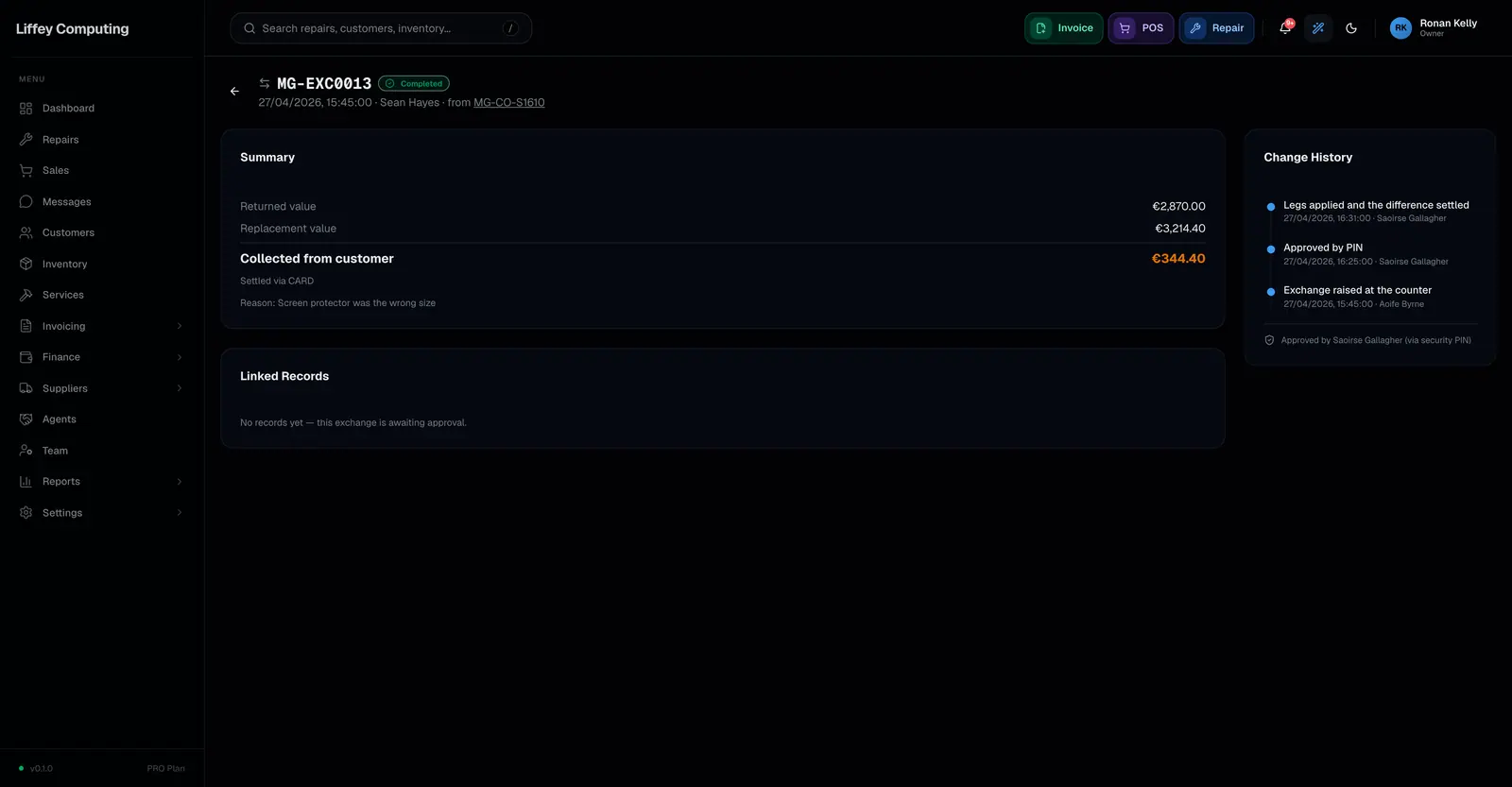
An exchange swaps one or more items on a sale that is already paid. Fixmo builds it from two legs: a refund and credit note for what comes back, and a new sale and invoice for what goes out. The original sale is never edited.
What it does
A customer brings back a case that does not fit and wants a different one. The tempting fix is to edit the original sale. That quietly rewrites history, and the books stop matching what was actually paid.
Fixmo does it in two legs instead. The returned item goes back as a refund, with a credit note, restocking by its condition and reversing its commission. The replacement goes out as a new sale, with a new invoice, taking stock and earning commission as any sale would.
The difference is settled once. If the new item costs more, you collect the difference. If it costs less, you refund it.
A cashier can start an exchange but not finish one. It waits for an admin or manager, who either approves from their own account or enters an override PIN on the cashier's screen. Which of the two was used is recorded.
The internal refund is tagged as part of the exchange, so it is left out of refund analytics. A swap is not a return, and your refund rate should not say it was.
How an exchange runs
- 01
Pick the sale
Find the paid sale and choose the lines coming back.
- 02
Choose what replaces them
Add the new items. Fixmo prices both legs and shows the difference.
- 03
Approve
An admin or manager approves, from their account or with an override PIN.
- 04
Apply
The refund, credit note, new sale and new invoice are all written together.
- 05
Settle
Collect the difference, or refund it.
Every capability
| Applies to | Sales that are already paid |
|---|---|
| Return leg | An internal partial refund with a credit note |
| Replacement leg | A new sale with its own invoice |
| Original sale | Never edited. It stays the historical record |
| Restocking | Per item: restock, damaged, defective or no restock |
| Serial numbers | Reversed on the return, assigned on the replacement |
| Commission | Reversed in proportion on the return, earned on the replacement |
| Settlement | One net amount, collected or refunded |
| Approval | Cashier starts it, admin or manager approves |
| Approval method | Recorded as account approval or override PIN |
| Analytics | Excluded from refund reporting, because it is a swap |
| Activity | Eight event types recorded on the exchange |
Questions
Why not just edit the sale?
Because the sale is the record of what the customer actually paid. Editing it makes the takings for that day disagree with the payments taken. Two legs keep both true.
Can a cashier do an exchange alone?
No. A cashier can prepare one. An admin or manager approves it, either from their own account or by entering an override PIN on the cashier's screen.
Does an exchange count as a refund in my reports?
No. The internal refund is tagged with the exchange and excluded from refund analytics.
What if the returned item is damaged?
Mark it damaged or defective instead of restock. It comes off the sale without going back on the shelf.