On the bench and at the counter
Point of sale
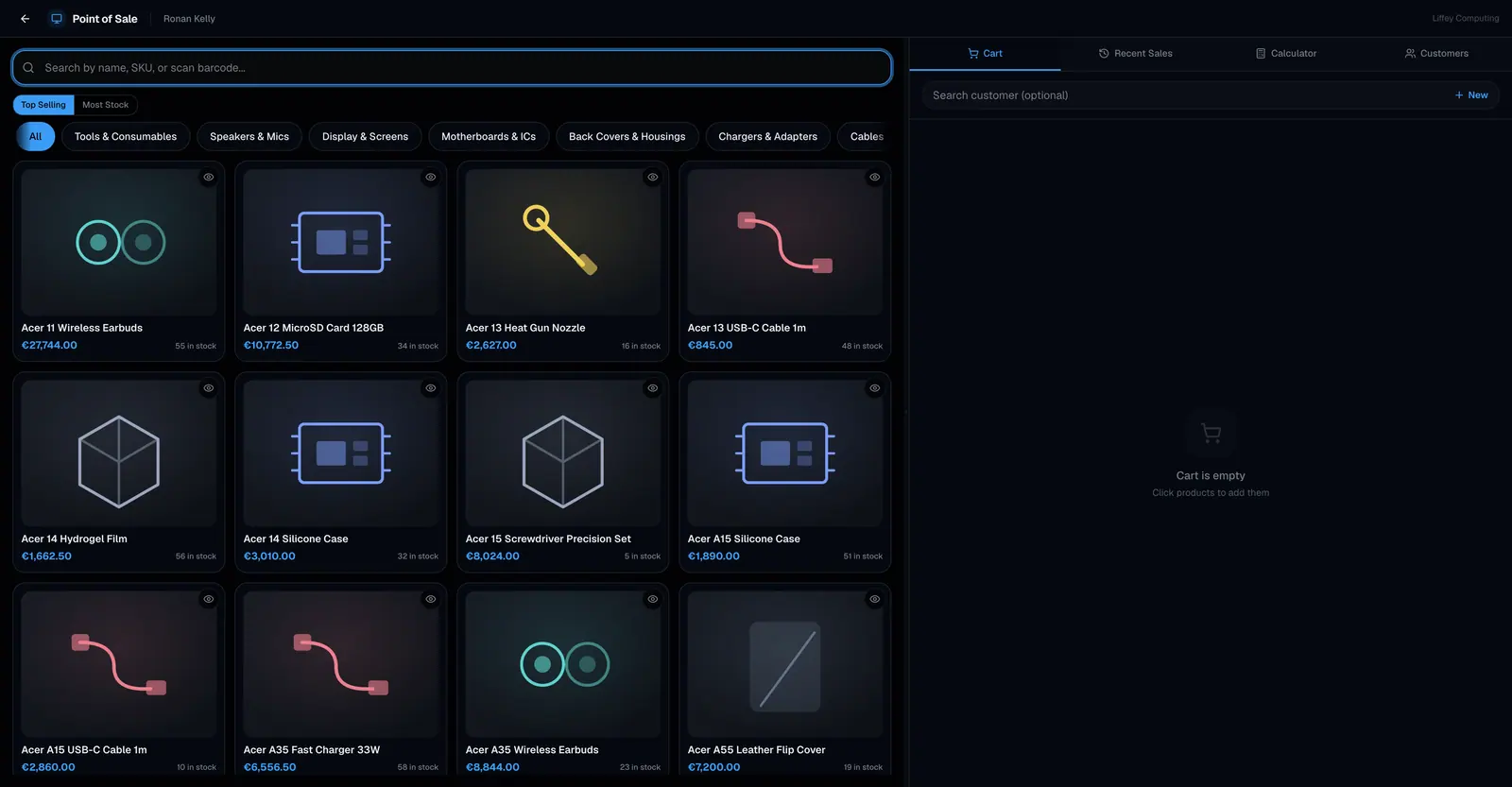
Fixmo has a till built in. Scan or search a product, add it to the cart, apply a discount, and take payment as cash, card, bank transfer or online, or split one sale across several methods. Stock comes off the same list repairs draw from.
Free covers 50 sales a month. Pro raises that to 1,000. Business has no limit.
What it does
The counter and the bench are the same shop, so they should not be two systems. A screen protector sold at the till and one fitted on a repair come off the same number.
The cart takes products, services and variable items. A variable product opens its variant picker before it goes in, so the right colour and capacity is the one that leaves stock.
Payment can be split. Half in cash and half on a card is one sale with two payment rows, not two sales.
An item on Sale / Promotion shows its sale price on the card. Settings → POS decides whether it goes into the cart at that price, and the cashier can switch each line. The receipt strikes through the regular price and shows what the customer saved.
The till is built for keyboard use. The product search, the payment dialog and a new sale all have shortcuts, and the calculator takes numbers straight from the number row.
Every capability
| Search | By name, SKU or barcode, with a scanner or by typing |
|---|---|
| Cart | Products, services, variable products and combos |
| Discounts | An amount or a percentage, on one line or the whole sale |
| Sale prices | Applied per line, or automatically from Settings → POS |
| Payment methods | Cash, card, bank transfer, online, plus any custom method you add |
| Split payment | One sale settled across several methods |
| Customer | Optional. Attach a sale to a customer for their history |
| Serial numbers | Picked or scanned at the till, and marked sold |
| Tax | Per item rate, or the shop default, inclusive or exclusive |
| Sale code | Generated per shop and branch |
| Receipts | Printed, or sent by WhatsApp or email |
| Invoice | Raised from a completed sale, automatically if you want |
| Shortcuts | Search, pay, new sale and four tabs, all from the keyboard |
| After the sale | Refund, void or exchange |
Who it is for
Admin
Full access, every branch.
Manager
Full access in their branch, and approves cashier actions.
Cashier
Sells and takes payment. Refunds go for approval.
Technician
Not a till role.
Questions
Do I need a barcode scanner?
No. A scanner types into the search box like a keyboard, so it works if you have one and typing works if you do not.
Can I sell something I have run out of?
Yes, once Allow negative stock is on in Settings → POS. Fixmo then records the shortfall rather than silently going negative, and covers it when new stock arrives.
Does the till charge my website's price?
Only if you choose. With Show web prices at the counter on in Settings → POS, staff can tap the web price for a customer who saw it online, and the receipt marks it. With it off, selling at the web price is a price change, which a cashier cannot make and a manager's is recorded.
Can a customer pay half now and half later?
Yes. Record what they paid and the balance stays outstanding against the sale.
Can I run the till without a mouse?
Yes. There are shortcuts for the product search, the payment dialog and starting a new sale, and four for moving between the cart, recent sales, the calculator and customers.