On the bench and at the counter
Repair tracking
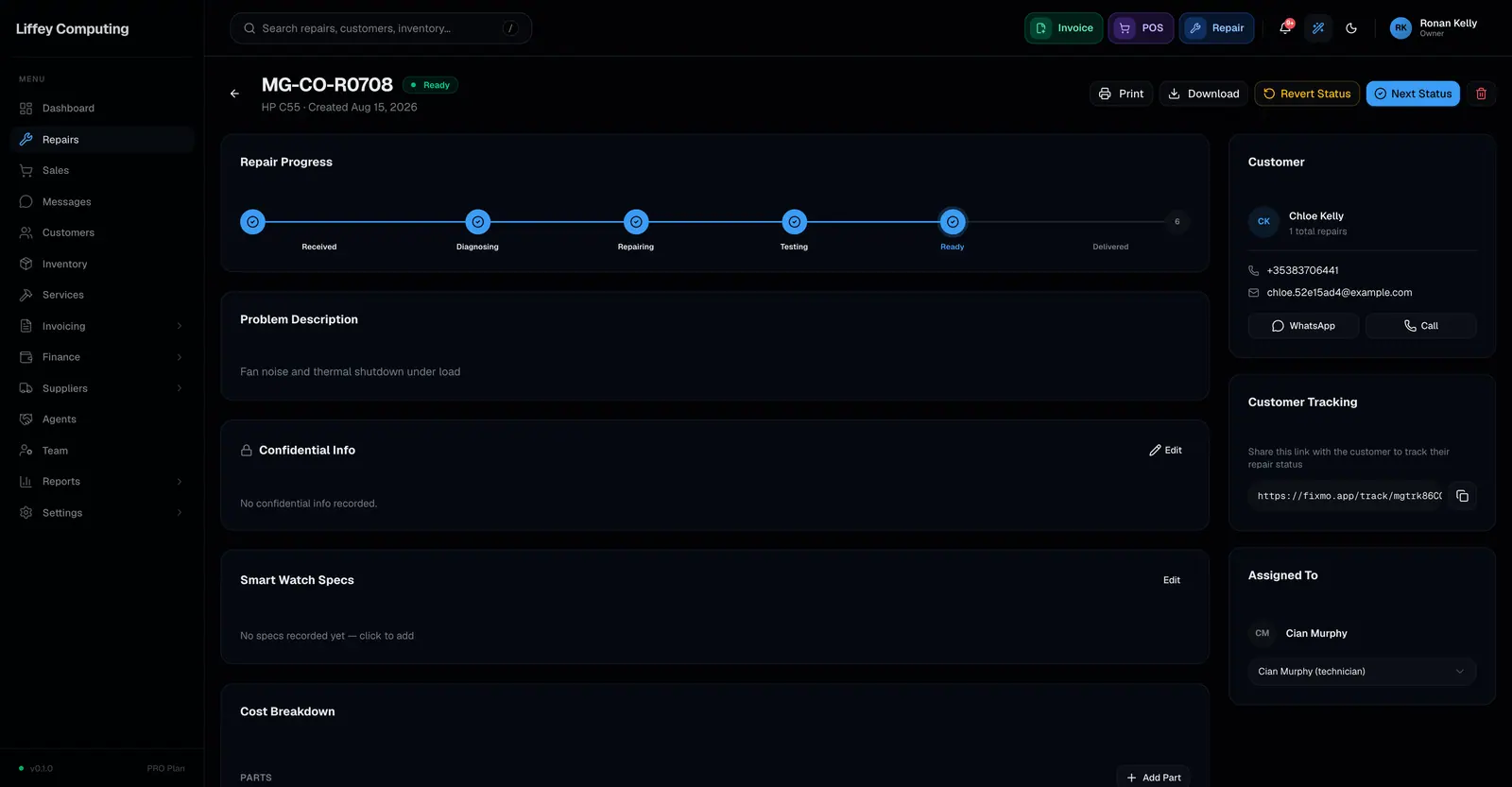
Fixmo tracks a repair through eight stages: Received, Diagnosing, Waiting Parts, Repairing, Testing, Ready, Delivered, Cancelled. Each job gets a code, a technician, an estimated date, and a link the customer can open without logging in.
Free covers 30 repairs a month. Pro raises that to 500. Business has no limit.
What it does
A repair in Fixmo is a record, not a sticky note. It holds the device, the fault, the customer, the technician, the parts fitted, the labour charged, and what has been paid so far.
The stage is the thing everyone reads first. A technician moves a job to Testing and the counter sees it without asking. The customer sees it too, on their own link.
Nothing is retyped between stages. Parts fitted on the bench come off the same stock list the counter sells from, and the total owed updates as they go on.
The eight stages
- 01
Received
The device is in. Customer, fault and any deposit are recorded.
- 02
Diagnosing
A technician is finding out what is wrong.
- 03
Waiting Parts
The fault is known and something has to arrive first.
- 04
Repairing
The work is happening.
- 05
Testing
The work is done and being checked.
- 06
Ready
It can be collected. This is the stage that triggers the pickup message.
- 07
Delivered
The customer has it. An invoice can be raised automatically here.
- 08
Cancelled
The job stopped. The record stays.
Every capability
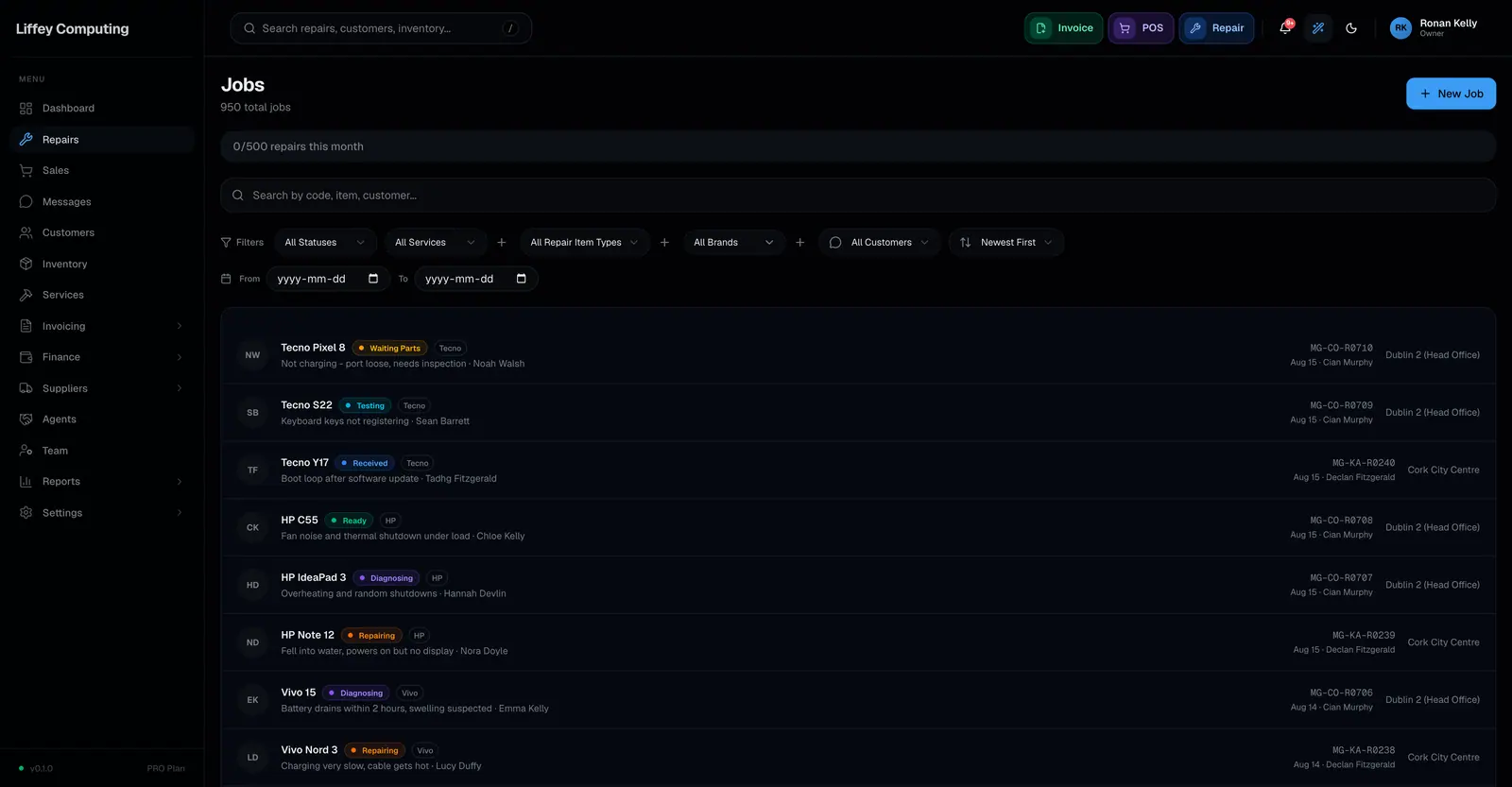
| Stages | Eight, fixed, so two branches never invent different names for the same thing |
|---|---|
| Repair code | Generated per shop and branch, for example ACM-DUB-R0001 |
| Technician | Assigned per job. A technician sees the jobs assigned to them |
| Estimated date | Set at intake and editable, shown to the customer on their link |
| Photos | Up to 5 per repair, on every plan |
| Parts | Drawn from branch stock, deducted when fitted |
| Services | Labour lines priced from your service catalogue |
| Payments | Cash, card, bank transfer or online, or several on one job |
| Search and filter | By stage, device type, brand, technician, branch and date range |
| Barcode | Scan to pull up a device without typing the code |
| Customer view | A tracking link that needs no login and no app |
| History | Every stage change kept with who made it and when |
Who it is for
Admin
Sees every repair in every branch, including money.
Manager
Sees every repair in their branch, including money.
Technician
Sees the jobs assigned to them. Payment and price rows are hidden.
Cashier
Takes payment and hands devices back. Cannot see confidential notes.
Questions
Can I change the eight stages?
No. The stages are fixed so that a report, a customer link and a WhatsApp message all mean the same thing in every branch. What you can change is which stages send a message.
What happens to a repair on the Free plan after a month?
Free keeps repairs for 30 days and then removes them automatically. Pro and Business keep them indefinitely.
Can two technicians work on the same repair?
One technician is assigned at a time, and reassigning is recorded in the job's activity log. Anyone with access can add parts, notes and payments.
Does the customer see my internal notes?
No. The tracking link shows the repair code, the item, the stage and the estimated date. Notes, costs and confidential fields stay inside the shop.
Can I take a deposit when the device comes in?
Yes. A deposit at intake is recorded against the job and the remaining balance is worked out for you.