Stock
SKUs and barcodes
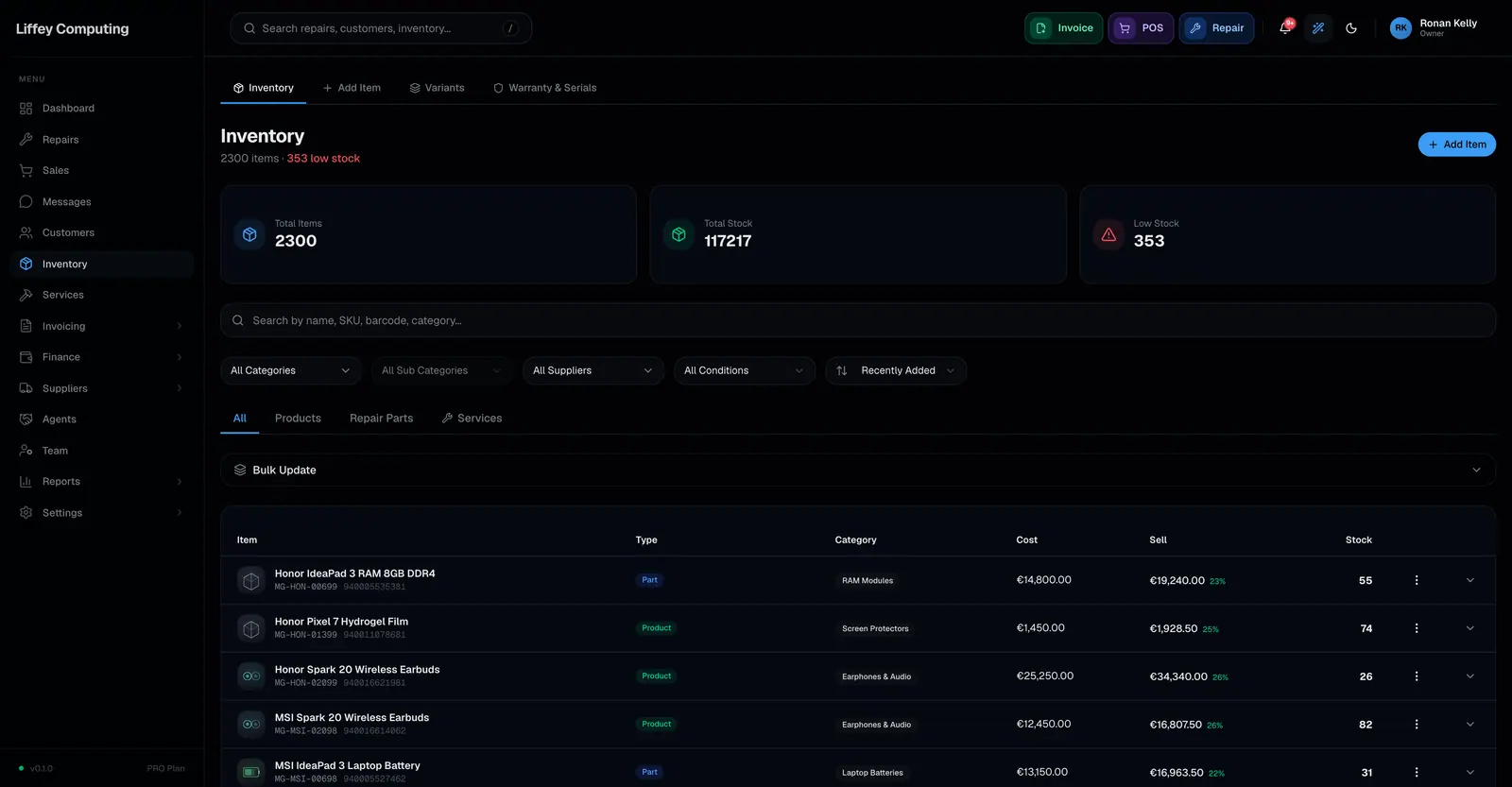
Every item can carry a SKU and a barcode. Both are checked for conflicts within the shop, so two unrelated products cannot share one. Scanning works anywhere the product search does, including the till and repair lookup.
What it does
A catalogue with duplicate codes is worse than one with none, because the scanner returns the wrong thing confidently.
Fixmo checks a SKU before it saves. If another product already uses it, you are told which one by name rather than getting a database error.
Variations of the same parent are the deliberate exception. Six colours of the same case may share the parent's SKU, because they are one product.
Barcodes are checked the same way and work with any scanner that types, which is nearly all of them.
Every capability
| SKU | Optional per item, unique within the shop |
|---|---|
| Conflict message | Names the item already using it |
| Variations | May share the parent product's SKU |
| Barcode | Optional per item, checked for conflicts |
| Scanning | Works wherever product search does |
| Till | Scan straight into the cart |
| Repairs | Scan to pull up a device |
| Import | SKUs and barcodes come in with a CSV or Excel import |
Questions
Do I need SKUs at all?
No. Both fields are optional. They speed up search and scanning when you use them.
Does Fixmo print barcode labels?
Not yet. Fixmo stores and reads barcodes. Printing labels is not part of the product today.
What scanner works?
Any that behaves like a keyboard, which covers most USB and Bluetooth scanners. There is nothing to install.